Jinja2PDF
Report with a chart
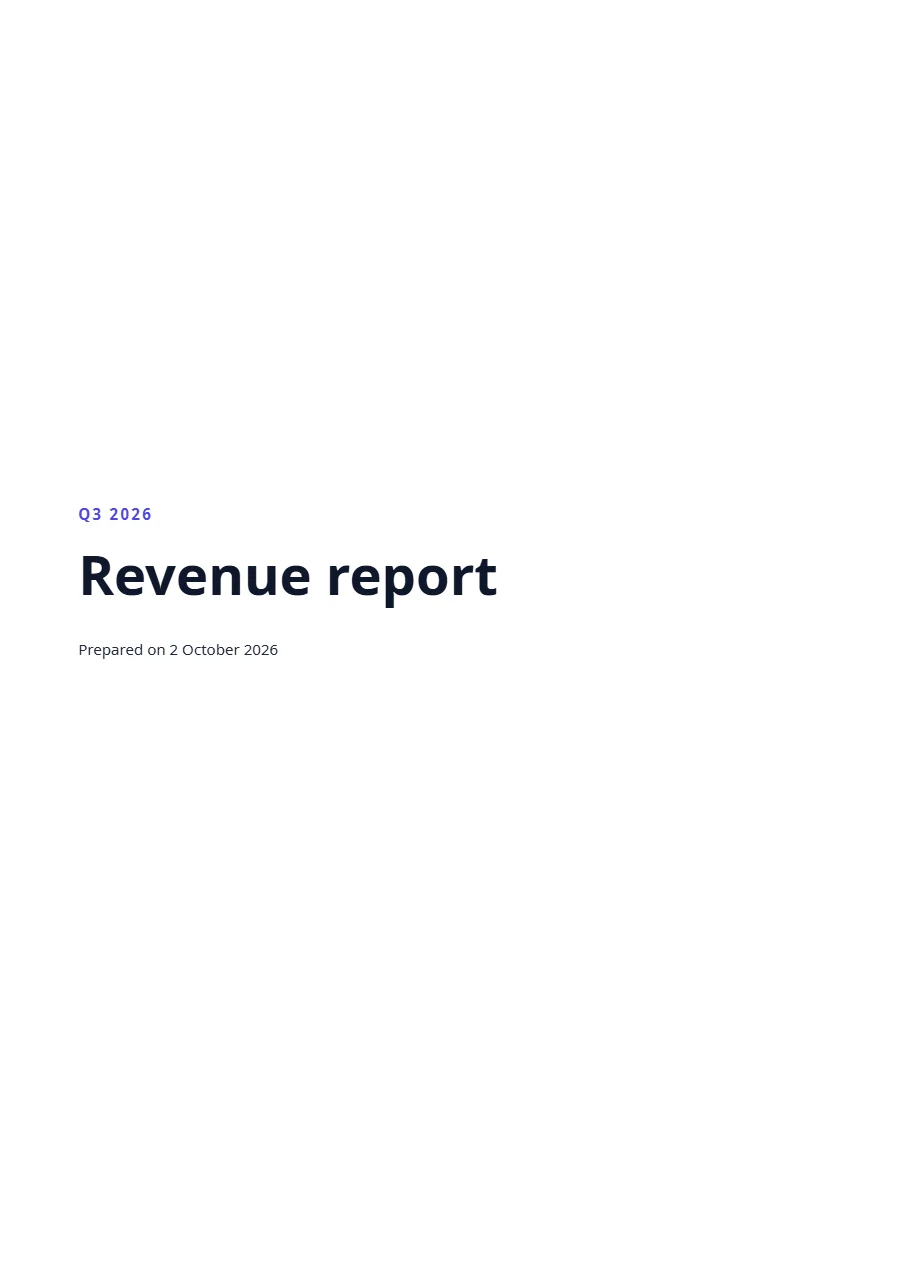
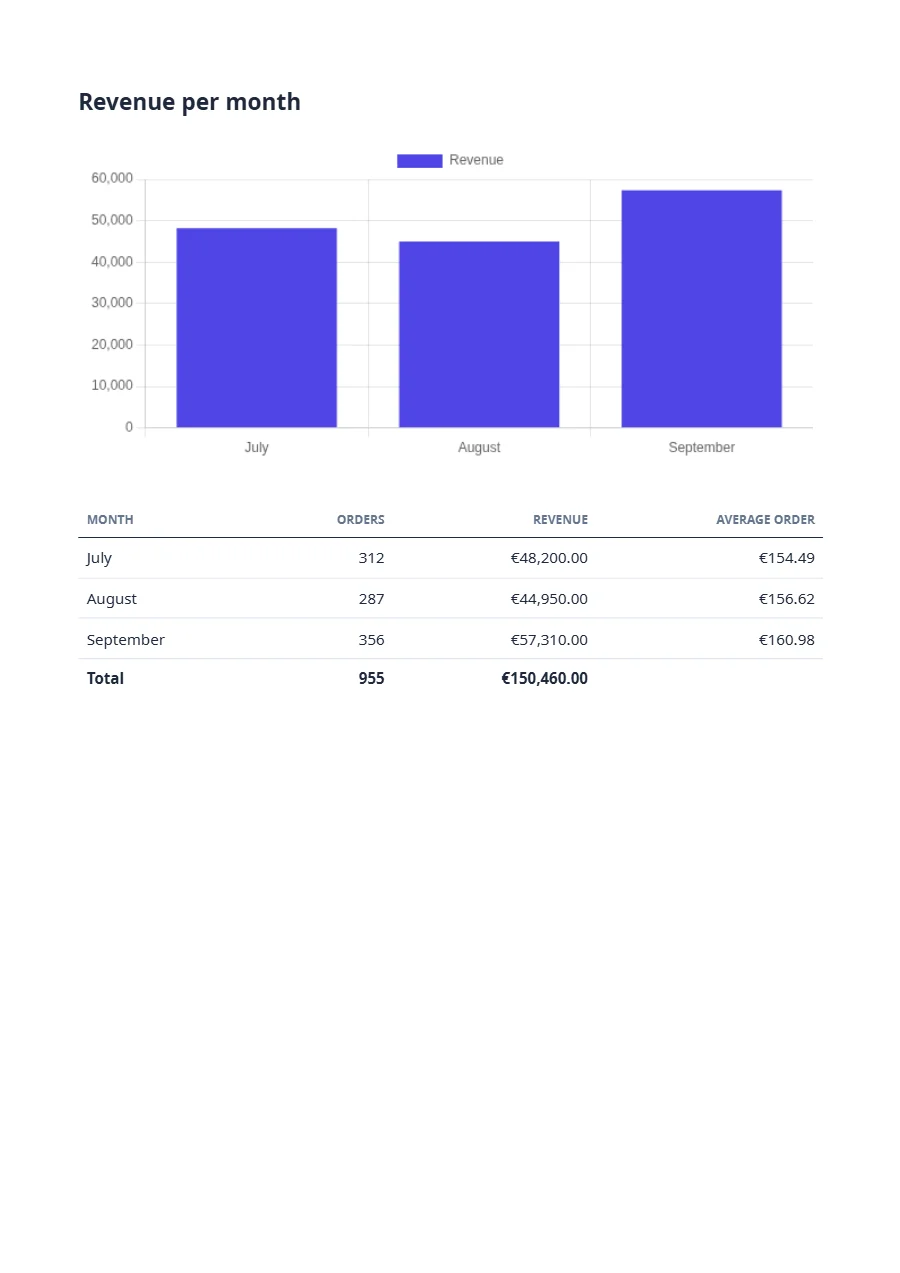
A cover page, a page break and a Chart.js bar chart built from the data inside the template, with pluck pulling the labels and values out of the rows. Charts render without animation, so the PDF matches the preview. Long reports go async and report back through a webhook.
Free plan, no card. You get your own copy in the editor, published and ready for the API.
Rendered result
What this example shows
- The cover is a box 235 mm high, and
pageBreak()starts the figures on a new page. charttakes a Chart.js configuration written in the template;pluck('month')andpluck('revenue')pull labels and values out of the rows.- Charts render without animation, so the PDF shows the same chart as the editor preview.
- Derived figures stay in the template: the average order is
m.revenue / m.ordersper row, and the table’stfootrow sums orders and revenue. mode: "async"answers at once with a queued render;webhook_urlreceivesrender.completedwith the download URL when it is done. Sendwebhook_secretas well and that delivery is signed.
Helpers used
Template folder
<section class="cover">
  <p class="eyebrow">{{ report.period }}</p>
  <h1>{{ report.title }}</h1>
  <p>Prepared on {{ report.date | date('PPP') }}</p>
</section>

{{ pageBreak() }}

<h2>Revenue per month</h2>
{{ chart({
  type: 'bar',
  data: {
    labels: months | pluck('month'),
    datasets: [{ label: 'Revenue', data: months | pluck('revenue'), backgroundColor: '#4f46e5' }]
  },
  width: 640,
  height: 280,
  alt: 'Bar chart of the revenue by month; the table below has the figures'
}) }}

<table class="figures">
  <thead>
    <tr><th>Month</th><th class="num">Orders</th><th class="num">Revenue</th><th class="num">Average order</th></tr>
  </thead>
  <tbody>
    {% for m in months %}
    <tr>
      <td>{{ m.month }}</td>
      <td class="num">{{ m.orders | number(0) }}</td>
      <td class="num">{{ m.revenue | money }}</td>
      <td class="num">{{ (m.revenue / m.orders) | money }}</td>
    </tr>
    {% endfor %}
  </tbody>
  <tfoot>
    <tr>
      <th>Total</th>
      <th class="num">{{ months | sum('orders') | number(0) }}</th>
      <th class="num">{{ months | sum('revenue') | money }}</th>
      <th></th>
    </tr>
  </tfoot>
</table>body { font-family: 'Noto Sans', sans-serif; font-size: 10pt; color: #1e293b; }
.cover { height: 235mm; display: flex; flex-direction: column; justify-content: center; }
.eyebrow { margin: 0; color: #4f46e5; font-weight: 600; letter-spacing: 0.15em; text-transform: uppercase; }
.cover h1 { margin: 3mm 0; font-size: 36pt; color: #0f172a; }
h2 { margin: 0 0 6mm; font-size: 15pt; }
.ff-chart { display: block; margin: 0 auto 10mm; }
.figures { width: 100%; border-collapse: collapse; }
.figures th, .figures td { padding: 2.2mm 2mm; border-bottom: 1px solid #e2e8f0; text-align: left; }
.figures thead th { border-bottom: 1.5px solid #1e293b; font-size: 8pt; text-transform: uppercase; color: #64748b; }
.figures tfoot th { border-top: 1.5px solid #1e293b; border-bottom: 0; }
.figures tfoot { display: table-row-group; } /* the total once, at the end, not at the foot of every page */
.num { text-align: right !important; }{
"pdf": {
"metadata": {
"title": "{{ report.title }}"
}
},
"paper": {
"format": "A4"
},
"margin": {
"top": "20mm",
"right": "18mm",
"bottom": "20mm",
"left": "18mm"
},
"locale": "en-GB",
"currency": "EUR"
}{
"report": {
"title": "Revenue report",
"period": "Q3 2026",
"date": "2026-10-02"
},
"months": [
{
"month": "July",
"orders": 312,
"revenue": 48200
},
{
"month": "August",
"orders": 287,
"revenue": 44950
},
{
"month": "September",
"orders": 356,
"revenue": 57310
}
]
}Render it through the API
Save the sample data as data.json and send it with the template’s name. TypeScript, Python and PHP use the SDKs; every other language posts the same JSON to the REST API with its standard library. Renders with a key that starts with ff_test_ are not metered; on the Free plan they carry a small watermark.
jq '{template: "revenue-report", data: ., mode: "async", webhook_url: "https://example.com/hooks/formfeed"}' data.json \
  | curl https://api-eu.formfeed.dev/v1/renders \
      -H "Authorization: Bearer ff_test_..." \
      -H "Content-Type: application/json" \
--data-binary @-import { Formfeed } from '@formfeed/sdk';
import data from './data.json' with { type: 'json' };
const formfeed = new Formfeed({ apiKey: process.env.FORMFEED_API_KEY! });
const render = await formfeed.renders.create({
template: 'revenue-report',
data,
mode: 'async',
webhook_url: 'https://example.com/hooks/formfeed',
});
console.log(render.status, render.download_url);import json
import os
from formfeed import Formfeed
formfeed = Formfeed(api_key=os.environ["FORMFEED_API_KEY"])
with open("data.json", encoding="utf-8") as file:
data = json.load(file)
render = formfeed.renders.create(
template="revenue-report",
data=data,
mode="async",
webhook_url="https://example.com/hooks/formfeed",
)
print(render.status, render.download_url)<?php
require __DIR__ . '/vendor/autoload.php';
$formfeed = new Formfeed\Client(apiKey: getenv('FORMFEED_API_KEY'));
$render = $formfeed->renders->create([
'template' => 'revenue-report',
'data' => json_decode(file_get_contents('data.json'), true),
'mode' => 'async',
'webhook_url' => 'https://example.com/hooks/formfeed',
]);
echo $render->status, ' ', $render->downloadUrl, PHP_EOL;package main
import (
"bytes"
"encoding/json"
"fmt"
"net/http"
"os"
)
func main() {
data, err := os.ReadFile("data.json")
if err != nil {
panic(err)
}
body, _ := json.Marshal(map[string]any{
"template": "revenue-report",
"data": json.RawMessage(data),
"mode": "async",
"webhook_url": "https://example.com/hooks/formfeed",
})
request, _ := http.NewRequest("POST", "https://api-eu.formfeed.dev/v1/renders", bytes.NewReader(body))
request.Header.Set("Authorization", "Bearer "+os.Getenv("FORMFEED_API_KEY"))
request.Header.Set("Content-Type", "application/json")
response, err := http.DefaultClient.Do(request)
if err != nil {
panic(err)
}
defer response.Body.Close()
var render struct {
Status string `json:"status"`
DownloadURL string `json:"download_url"`
}
json.NewDecoder(response.Body).Decode(&render)
fmt.Println(render.Status, render.DownloadURL)
}using System.Net.Http.Headers;
using System.Net.Http.Json;
using System.Text.Json;
var body = new
{
template = "revenue-report",
data = JsonDocument.Parse(File.ReadAllText("data.json")).RootElement,
mode = "async",
webhook_url = "https://example.com/hooks/formfeed",
};
using var http = new HttpClient();
http.DefaultRequestHeaders.Authorization =
new AuthenticationHeaderValue("Bearer", Environment.GetEnvironmentVariable("FORMFEED_API_KEY"));
var response = await http.PostAsJsonAsync("https://api-eu.formfeed.dev/v1/renders", body);
var render = await response.Content.ReadFromJsonAsync<JsonElement>();
Console.WriteLine($"{render.GetProperty("status")} {render.GetProperty("download_url")}");import java.net.URI;
import java.net.http.HttpClient;
import java.net.http.HttpRequest;
import java.net.http.HttpResponse;
import java.nio.file.Files;
import java.nio.file.Path;
public class Render {
public static void main(String[] args) throws Exception {
String data = Files.readString(Path.of("data.json"));
String body = """
{
"template": "revenue-report",
"mode": "async",
"webhook_url": "https://example.com/hooks/formfeed",
"data": %s
}
""".formatted(data);
HttpRequest request = HttpRequest.newBuilder(URI.create("https://api-eu.formfeed.dev/v1/renders"))
.header("Authorization", "Bearer " + System.getenv("FORMFEED_API_KEY"))
.header("Content-Type", "application/json")
.POST(HttpRequest.BodyPublishers.ofString(body))
.build();
HttpResponse<String> response = HttpClient.newHttpClient().send(request, HttpResponse.BodyHandlers.ofString());
System.out.println(response.body()); // status, download_url, page_count, units …
}
}require "json"
require "net/http"
body = {
template: "revenue-report",
data: JSON.parse(File.read("data.json")),
mode: "async",
webhook_url: "https://example.com/hooks/formfeed",
}
response = Net::HTTP.post(
URI("https://api-eu.formfeed.dev/v1/renders"),
JSON.generate(body),
"Authorization" => "Bearer #{ENV.fetch("FORMFEED_API_KEY")}",
"Content-Type" => "application/json"
)
render = JSON.parse(response.body)
puts render["status"], render["download_url"]From the blog
- Page breaks in tables: what Chromium honours in 2026 →
Twenty-one table layouts rendered to PDF by headless Chromium 153 and measured — which break rules it keeps, and the three mistakes that cut a row in half, hide one under the footer or print the total on every page.
Start rendering today
The free plan includes 100 units a month and free test renders. Change plans when you need more.