Feature
Fill, redact, split and compress PDFs
Not every document starts as a template. Formfeed also works on the PDFs you already have: it fills a form by the names of its fields, removes names and account numbers from the file itself and checks that they are gone, cuts a PDF into parts, makes it smaller without losing anything, and draws its pages as pictures. Every tool takes a PDF you upload, which is processed and not kept, or one stored in Formfeed, and answers like a render, with a link to the result.
Free plan with 100 units a month, no credit card
Redaction that removes, then checks
POST /v1/pdf/redact takes the texts to remove, found on every page whatever their spacing, and rectangles of the page as a viewer shows it. What lies there is taken out of the file, not painted over: the text, the pixels of an image under a rectangle, a link or a comment it touches. Then the result is read again, with its metadata, bookmarks, attachments and form, and while a text can still be found the call fails with 422 redaction_incomplete and delivers nothing (what is checked).
- Found whatever the spacing. An IBAN written in groups of four is found by its characters run together. Letters are compared after Unicode normalisation and, unless
match_caseis set, regardless of case;whole_wordsfinds a text only as a word. - Rectangles in points.
xandyfrom the top-left corner of the page as a viewer shows it, its rotation applied. 72 points are an inch. - A box, another colour or none. A black box goes over each removed place;
fillnames another colour, andnullleaves the place blank. - Never stored. The texts you name are neither stored nor logged.
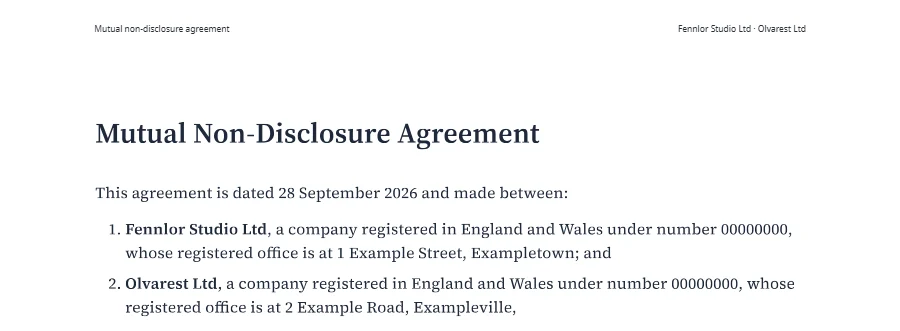
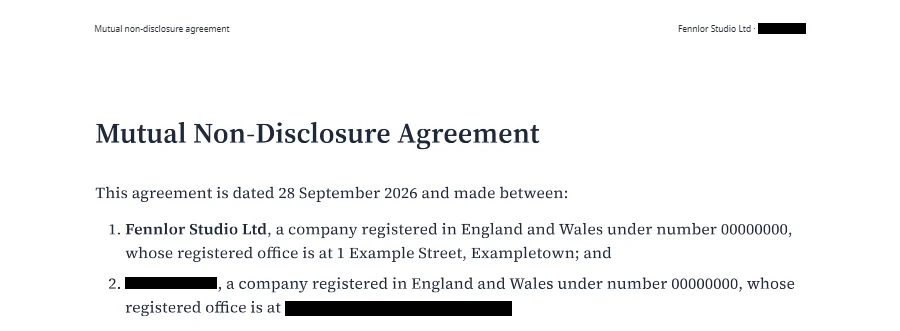
curl https://api.formfeed.dev/v1/pdf/redact \
  -H "Authorization: Bearer $FORMFEED_API_KEY" \
  -F file=@nda.pdf \
  -F 'text=["Olvarest Ltd","2 Example Road, Exampleville"]'
Fill a form by the names of its fields
POST /v1/pdf/info lists the fields of a form with their full names, labels, types and options, free on every plan: here applicant.name, a text field labelled “Full name”, and membership, a radio group of basic, plus, team. POST /v1/pdf/fill takes values by those names: text, true or false for a check box, an option of a choice or a radio group. The form stays fillable, or with flatten the values are drawn into the pages and the fields removed (fill).
- Strict, or lenient. A name the form lacks, or a value its field does not take, fails with
422naming the field and never the value. Withstrict: falseboth are left out and listed in the render’sform.skipped. - What a viewer would run. No calculation or display format of the form runs; the render’s
form.warningsnames the fields that have one. - Forms that cannot be filled. A form that needs a password, a signed form and a form only XFA viewers fill are refused, each with its own code; a hybrid form is filled through its AcroForm, its XFA part removed.
- Never stored. The values are neither stored nor logged; the render keeps the names of the fields it filled.
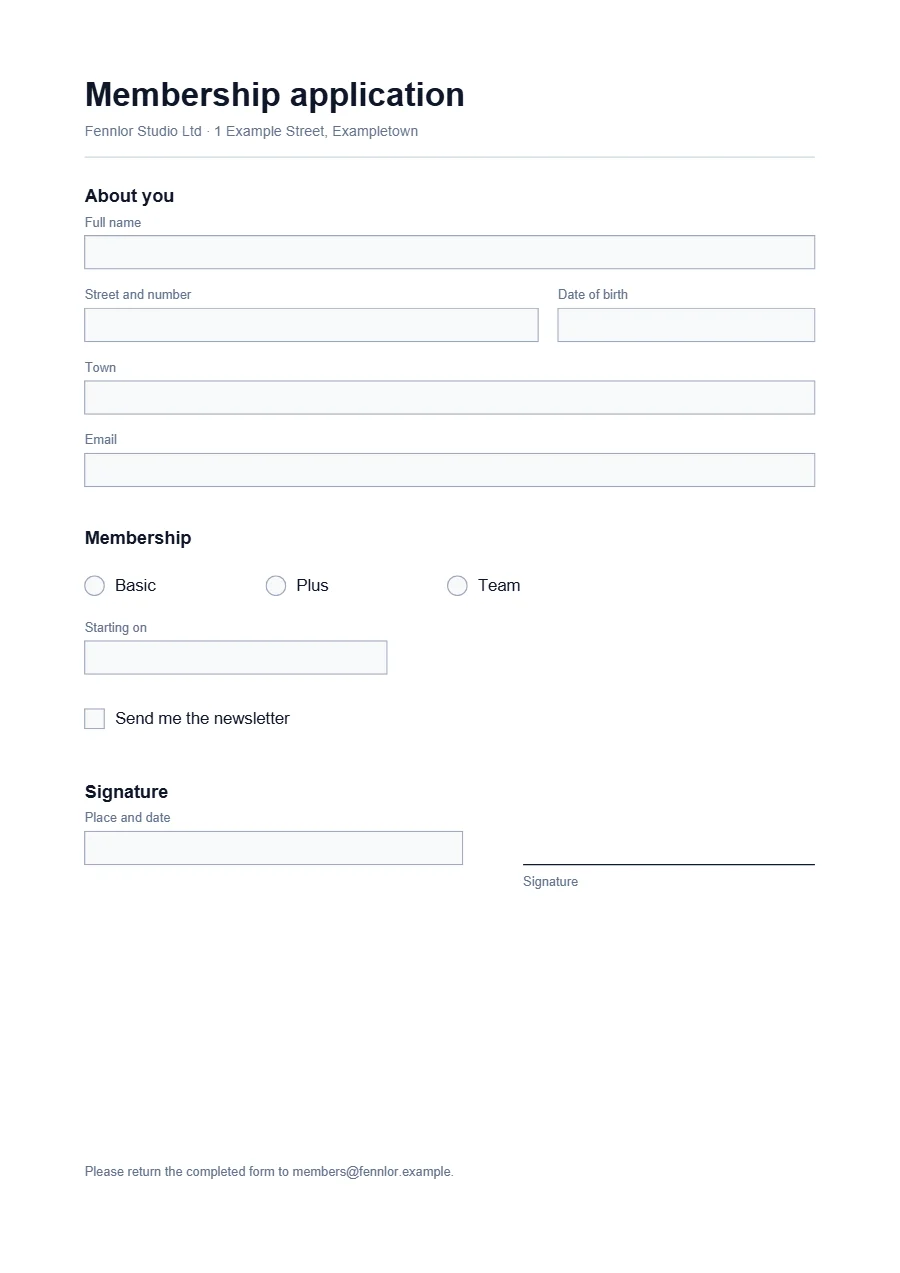
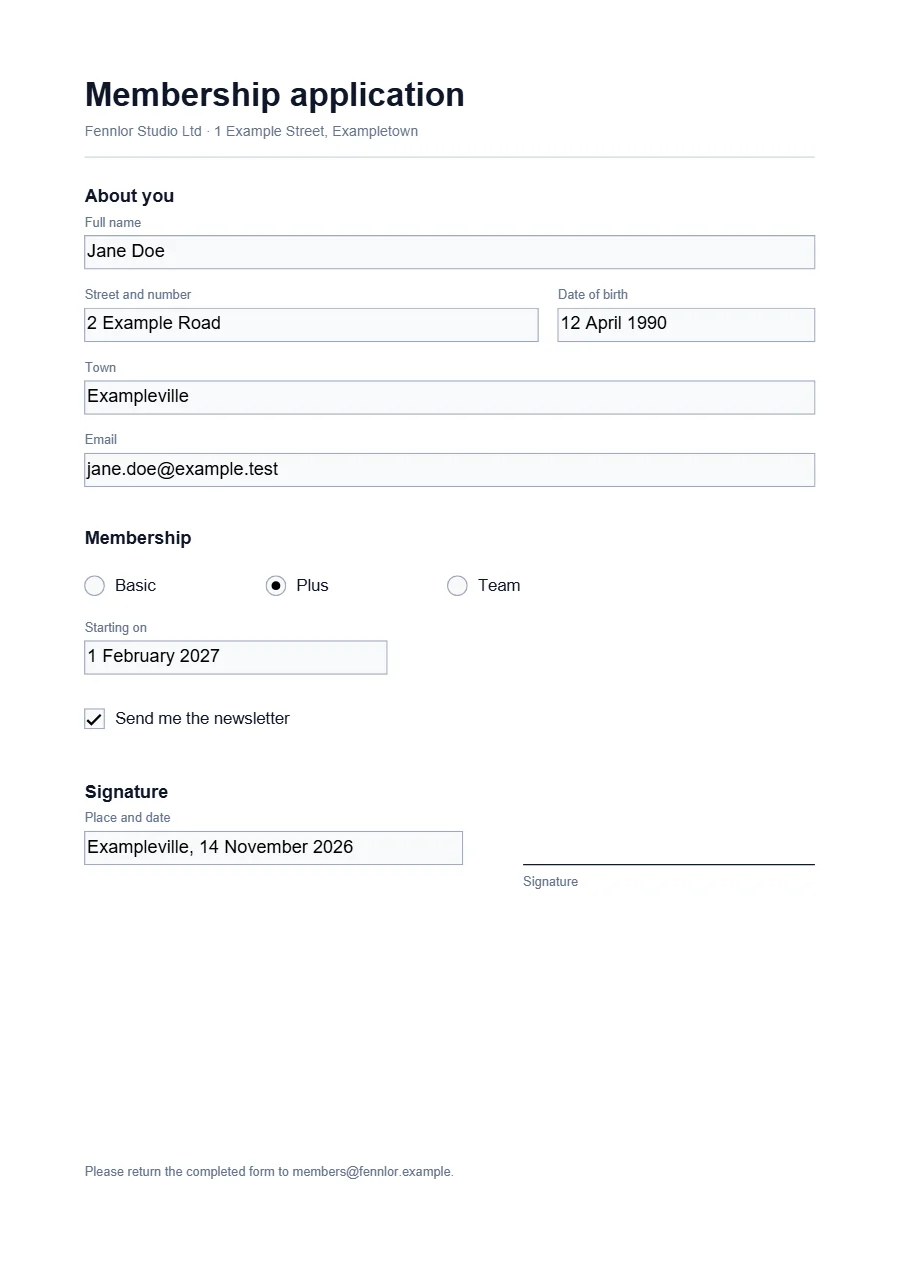
curl https://api.formfeed.dev/v1/pdf/fill \
  -H "Authorization: Bearer $FORMFEED_API_KEY" \
  -F file=@membership-application.pdf \
  -F 'fields={
    "applicant.name": "Jane Doe",
    "membership": "plus",
    "start": "1 February 2027",
    "newsletter": true
  }' \
  -F flatten=true
Split into parts
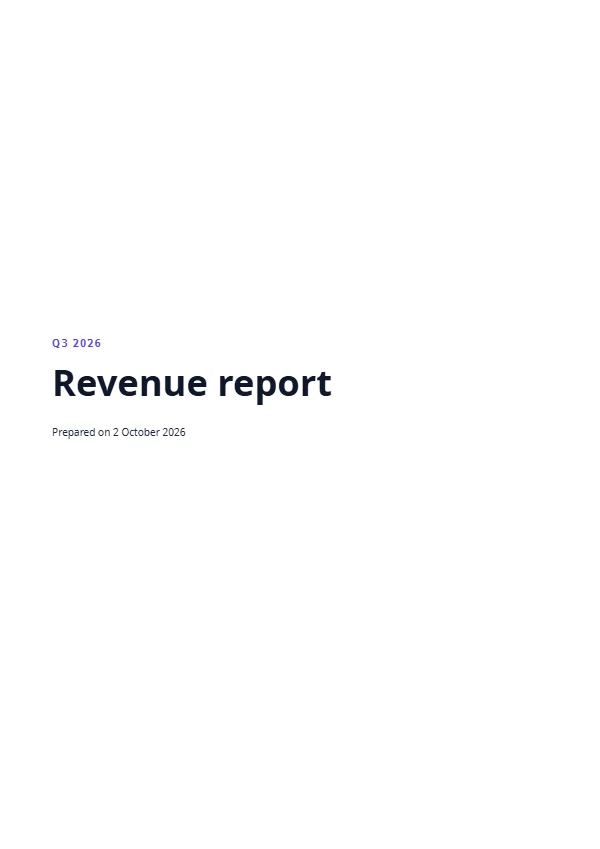
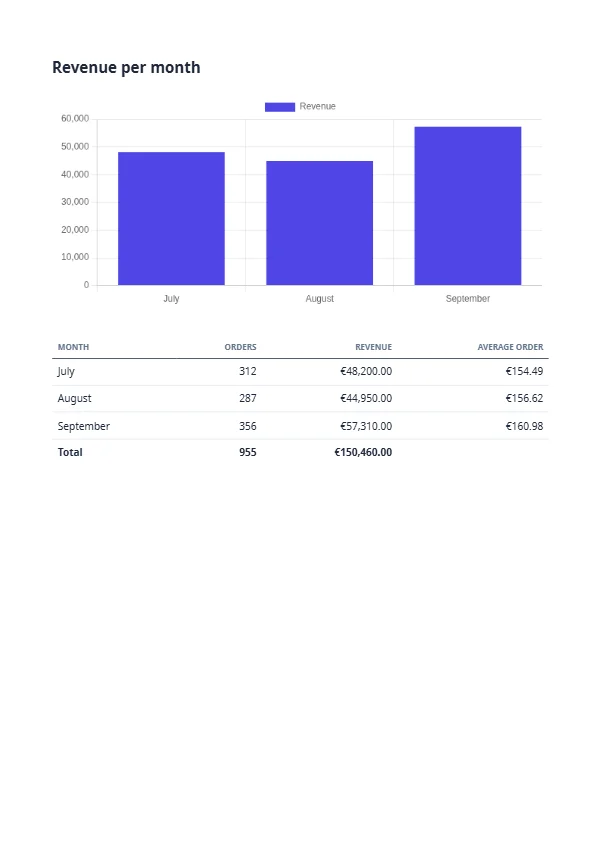
POST /v1/pdf/split cuts a PDF every N pages, or into one part per page selection such as 1-3,5 or 4- for page 4 to the last, and answers one ZIP of the parts named after the source: report.zip holds report-1.pdf and report-2.pdf. A split that yields one part answers that PDF. A PDF/A is refused, because its parts would carry a claim nobody checked (split).
curl https://api.formfeed.dev/v1/pdf/split \
  -H "Authorization: Bearer $FORMFEED_API_KEY" \
  -F file=@report.pdf \
  -F every=1
Pages as pictures
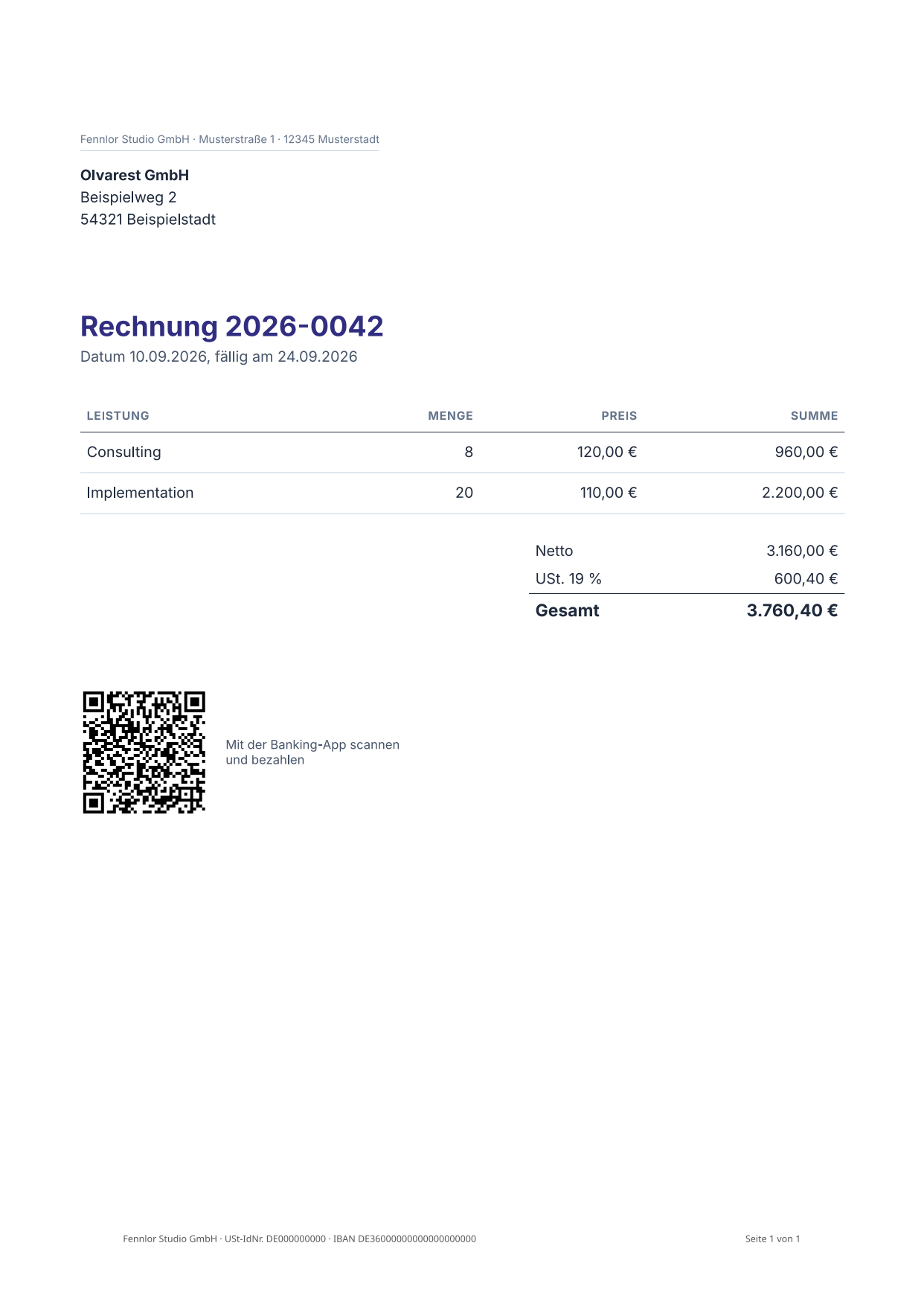
POST /v1/pdf/to-image draws pages as PNG or JPEG at 36 to 300 dpi, 150 when you name none: one page answers the picture, several a ZIP of them, named by page. One call draws up to 100 pages, and each picture costs a unit, as an image render does (to-image).
curl https://api.formfeed.dev/v1/pdf/to-image \
  -H "Authorization: Bearer $FORMFEED_API_KEY" \
  -F file=@invoice.pdf \
  -F pages=1 \
  -F dpi=150
Smaller, without losing anything
POST /v1/pdf/compress rewrites a PDF without changing what it shows: objects packed into compressed streams, identical streams stored once, images recompressed losslessly and fonts cut down to the glyphs the document uses. Image quality is never lowered, and a file the rewrite cannot make smaller comes back as it was. Five examples of this site, measured on 18 November 2026, came out 15% to 42% smaller (compress):
| Example | Before | After | Saved |
|---|---|---|---|
| price-list.pdf | 272 kB | 225 kB | 17% |
| nda.pdf | 147 kB | 124 kB | 15% |
| us-invoice.pdf | 141 kB | 81 kB | 42% |
| mahnung.pdf | 114 kB | 70 kB | 38% |
| invoice.pdf | 90 kB | 60 kB | 33% |
curl https://api.formfeed.dev/v1/pdf/compress \
  -H "Authorization: Bearer $FORMFEED_API_KEY" \
  -F file=@price-list.pdf
A PDF you upload, or one stored in Formfeed
Every tool takes the PDF as multipart/form-data with the file as file, up to your plan’s output size and 100 MB, processed and not kept; or as JSON naming a stored PDF in source: the ID of a render, such as the invoice your template just made, or a PDF of the file library by its name. The result is a render like any other, with its download link, kept as long as your plan keeps files (sources).
POST /v1/pdf/split
{
  "source": "rnd_7da09ab6cd9946b798c187c2a9350852",
  "ranges": ["1", "2-"]
}
Merge, watermark and password in the render itself
A render’s post block appends further PDFs after the document, stamps a text or image watermark and encrypts the result with AES-256, and the same three run on stored PDFs through /v1/pdf/merge, /v1/pdf/watermark and /v1/pdf/protect. The examples show a draft watermark and a payslip with a password.
From code, the command line or an agent
- SDKs.
client.pdf.redact(),fill(),split(),compress(),toImage()andinfo()in TypeScript, the same in Python withto_image(). - Command line.
npx formfeed pdf redact nda.pdf --text "Olvarest Ltd", andfill,split,compress,to-imageandinfobeside it. - AI agents. The MCP server’s
redact_pdf,fill_pdf_form,split_pdf,compress_pdf,pdf_to_imageandget_pdf_info(AI agents). - No-code workflows. Steps for the PDF tools in the no-code apps, platform by platform (integrations).
Plans and units
The tools are part of the Starter plan and above. Each costs 0.5 units on a live key, drawing pages one unit per picture, and /pdf/info is free on every plan (pricing).
FAQ
- Is redacted text really gone?
- Yes. It is taken out of the file, not painted over, and the result is read again before it is delivered: while any of the texts can still be found, on a page, in the metadata, a bookmark, an attachment or a form field, the call fails and no file is delivered.
- Can I fill a form I have never seen?
- Ask
/pdf/infofirst: it lists every field with its full name, label, type and options, and those names are what/pdf/filltakes. - Are uploaded files kept?
- No. An upload is processed and not kept; only the result is stored, like any render, for as long as your plan keeps files.
From the blog
- Redacting a PDF so the text is really gone →
A black box over a name hides it from the eye and from nobody else. Three times the hidden text came back in public, what a redaction has to remove besides the words on the page, and the one letter our own tool left behind while we wrote this.