Feature
Release channels and typed templates
A template is a contract between the people who design it and the code that sends it data. Release channels and schemas let both sides change without breaking the other.
Free plan with 100 units a month, no credit card
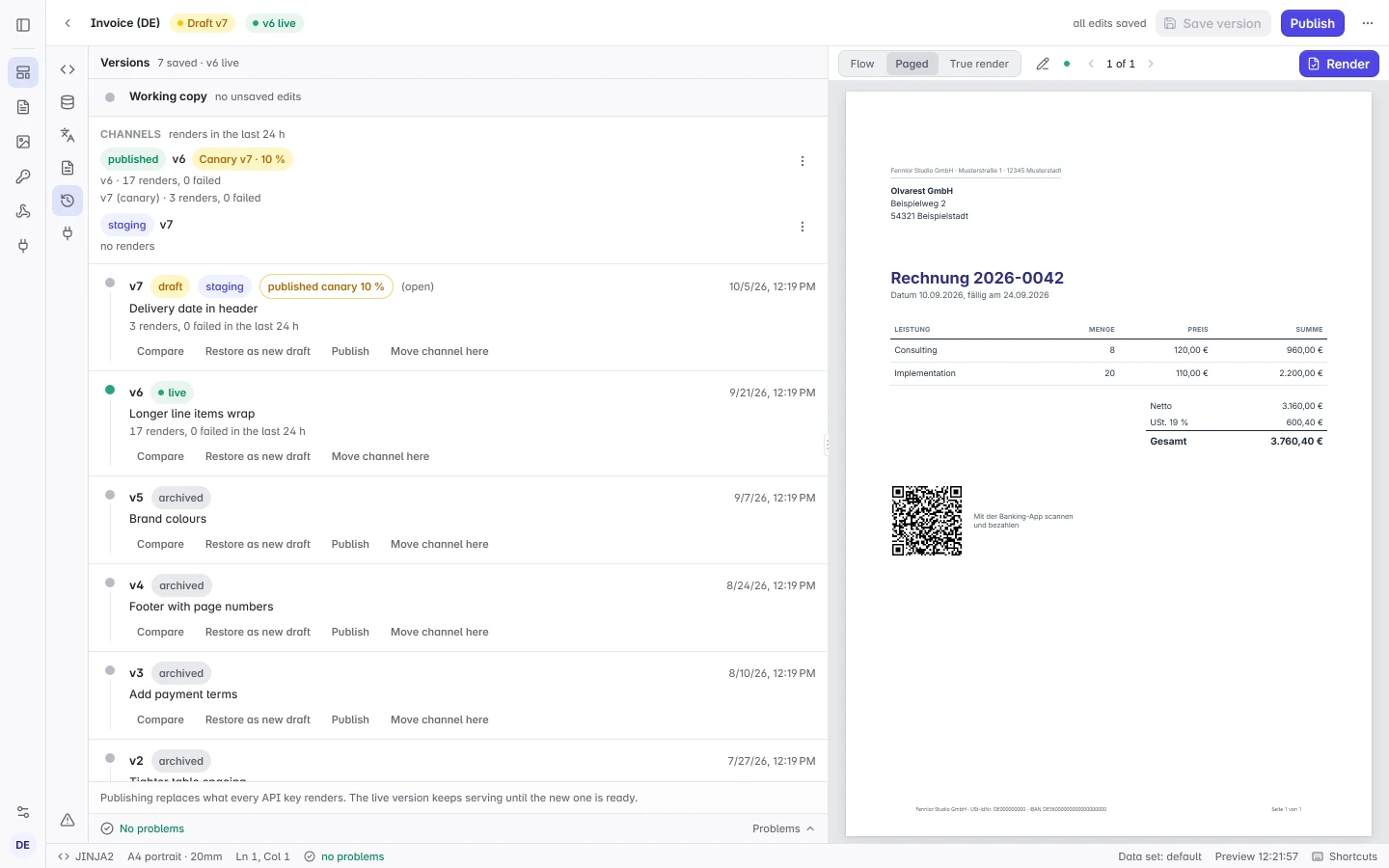
Channels beside published
A channel such as staging is a named pointer to a version. Renders pick it with the version field, and the render records which channel and which version it used. Move, promote and roll back in the editor, the API or the command line tool; moves reach renders within a minute.
{
  "template": "invoice-de",
  "version": "staging",
  "data": { "invoice": { "number": "2026-0042" } }
}
Canary releases
Send between 1 and 50 percent of a channel’s renders to a new version before it takes over, chosen consistently by the request’s canary_key or, without one, its idempotency key, and roll back with one click if the numbers look wrong. Free renders the published version only; Starter has two channels per template; Pro and Business have ten and canaries.
A schema check before anything goes live
Publishing, moving a channel, promoting and rolling back compare the data schema of the incoming version with the one callers use today. When both versions have a stored schema, a new required field, a narrower type or a removed option is refused unless you choose Publish anyway; a schema inferred from sample data only reports the change.
Types for the code that sends the data
The command line tool generates TypeScript declarations for the SDK or Python TypedDicts from each template’s schema, and its check mode fails CI when the file is out of date. A missing field shows up in your editor, not in a customer’s PDF.
npx formfeed types --out src/formfeed.d.ts   # TypeScript
npx formfeed types --lang python             # formfeed_templates.py
npx formfeed types --check --ci              # in CI