Feature
The template editor
Most document APIs give you a text box. Formfeed gives you the editor the people who write templates deserve: it knows your data, shows the pages as Chromium will print them, and keeps every version you published.
Free plan with 100 units a month, no credit card

Autocomplete from your own data
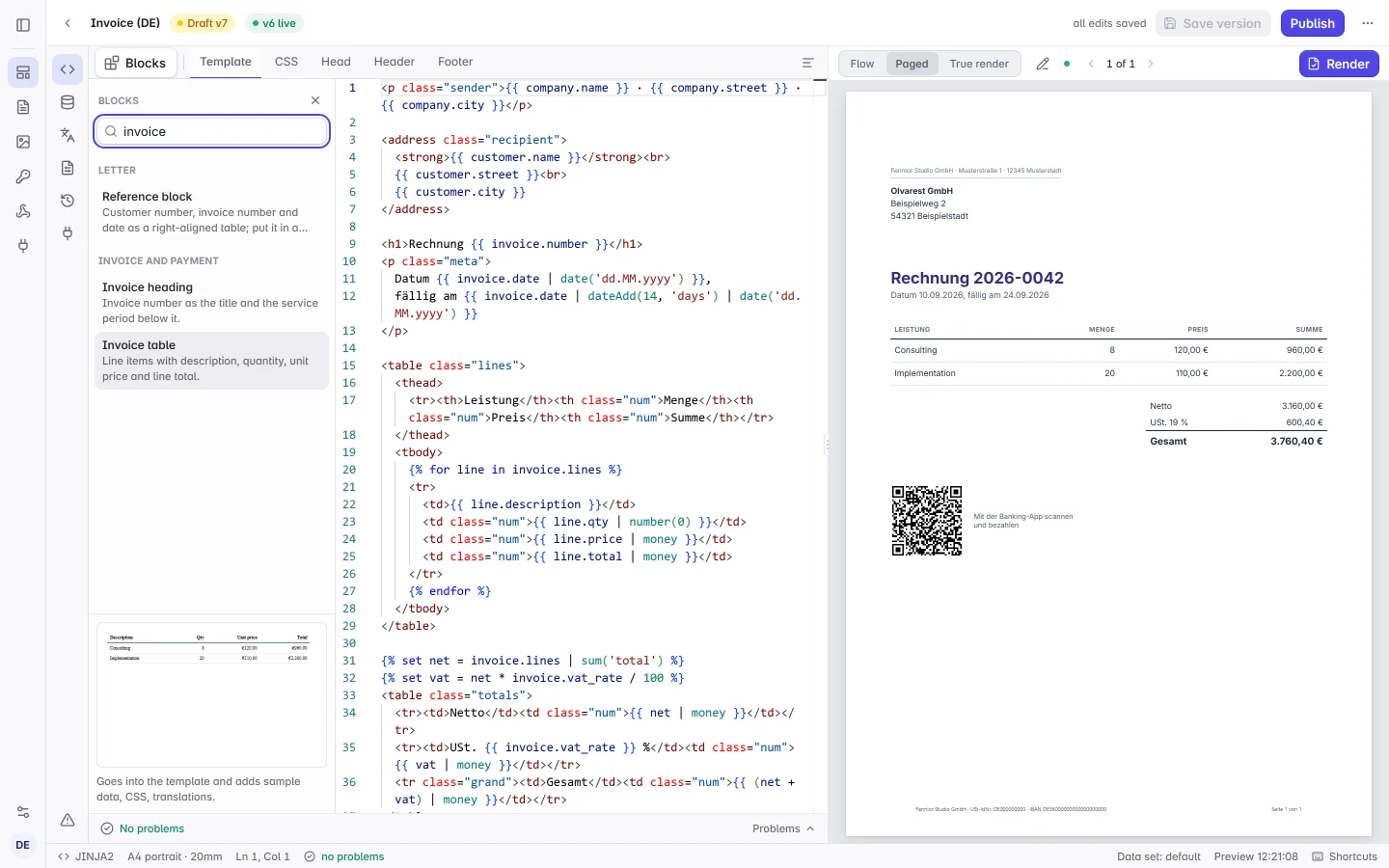
Type a variable and the editor offers the fields of your sample data with their example values. Helpers and filters complete with their signatures, so you never guess argument order.
- Paths, not guesses. Nested objects are walked, so a deep field is one keystroke away; a list completes by its name.
- Helper signatures. Hovering a helper shows its parameters, defaults and an example in your template language.
- Partials. Includes complete from the template’s own partials and the ones your organisation shares.
Diagnostics before you render
Unclosed blocks, unknown filters and variables missing from the sample data are underlined as you type, with the line and column. The same analysis runs in the command line and in your test suite, so what passes locally passes in production.
Building blocks instead of a blank page
The Blocks panel holds the parts business documents repeat: a letterhead and legal footer from your brand kit, a window envelope address to DIN 5008, invoice tables and totals, payment terms with bank details and an EPC payment code, VAT notes, key figures and charts. Each block previews in your template’s language, currency and brand kit and inserts with its sample data, the CSS your stylesheet lacks and its labels in English and German.
- Your own partials. The partials your organisation shares, such as letterheads and footers, appear in the same panel under Organisation partials and insert as an include.
- Search on Ctrl+K. One box finds your templates, the examples, shared partials, files, API keys, webhook endpoints, members and every page of the app, and in the editor every block and panel. The part that matched is marked.
A preview that paginates
The right pane renders real pages with running headers, footers and page numbers, filled by the same template engine as the render servers. Switch between data sets to see how the layout holds up with fifty line items or a missing optional field.
- True render. One click renders the draft on our servers and shows the PDF or image Chromium prints, with the test mark on Free. It costs no unit on any plan.
- Click to source. Clicking an element in the preview jumps to the line that produced it.
- Edit text in the preview. With Edit text on, change headings, paragraphs and translated labels right in the preview. Values from the data stay as they are, and the change goes into the template as one edit that Ctrl+Z undoes.
From the template to your code
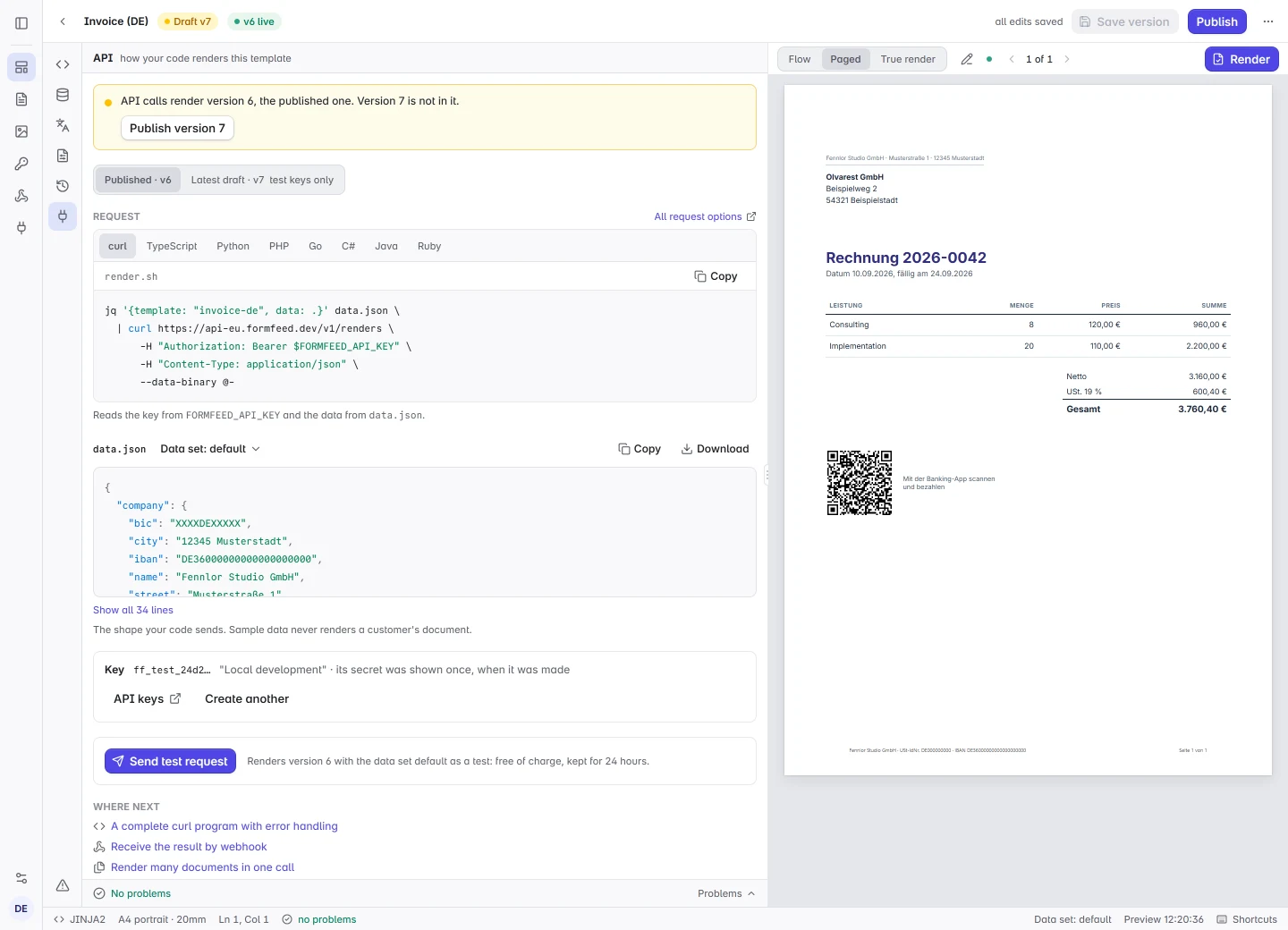
The API tab of a template shows the call that renders it, in curl, TypeScript, Python, PHP, Go, C#, Java and Ruby, with the template’s own slug and its sample data as data.json. The first line says which version a call renders, and one click sends the request as a test render and shows the answer your code will get.
- A test key in place. Owners and admins create a test key from the tab. Its secret is shown once, as the line your shell needs.
- Published or draft. Calls render the published version. A switch adds the latest draft to the request, which test keys may render.
- The API’s own answer. A test render is free and has its entry in the render log. When a template fails, the tab shows the problem as the API reports it, with the page that explains it.
History you can trust
Every save is a version, with a note when you write one, and every render records the version it used. Compare a version side by side with your working copy, or restore it as a new draft. When a workspace keeps render requests (a setting of the paid plans: up to a day on Starter, a week from Pro), Open in editor with this data takes a failed render’s data into the editor, where the preview shows the error again.
FAQ
- Can non-developers use it?
- Yes. The people who own the wording change it right in the preview with Edit text, and image templates can be designed on a canvas in the visual editor; developers own the data contract and can keep the same templates as files in a repository.
- Does it work offline?
- For HTML templates, the command line dev server runs the same preview on your machine without an account; only the true Chromium render needs the API. Word and PowerPoint templates preview through the API.
From the blog
- The preview that lies, and the one that doesn't →
A paged preview built on Paged.js fits nine cards on a page where Chromium's PDF fits six. Why, the one rule we changed so the preview breaks where the PDF breaks — and the case no preview can show, because Chromium shrinks the whole PDF.