The feature people expect first from a document tool is a drag-and-drop designer: a canvas, a toolbox, boxes you place with the mouse. When we opened the beta, we said there was none, because templates are HTML and CSS and that is what makes them diffable and testable. Formfeed has a canvas now, still in beta — for images. This post says why it stops there, what it writes when you use it, and who should still use something else.
Where a canvas is the right tool
An Open Graph card is 1200 by 630 pixels, this year and next. Nothing on it flows onto a second page, and nothing pushes anything else down. What changes from one render to the next is a title, a name, a date and perhaps a picture. That is layout work, and layout work is faster with a mouse than with CSS: the logo into the corner, the title under it, a guide pulled from the ruler, done.
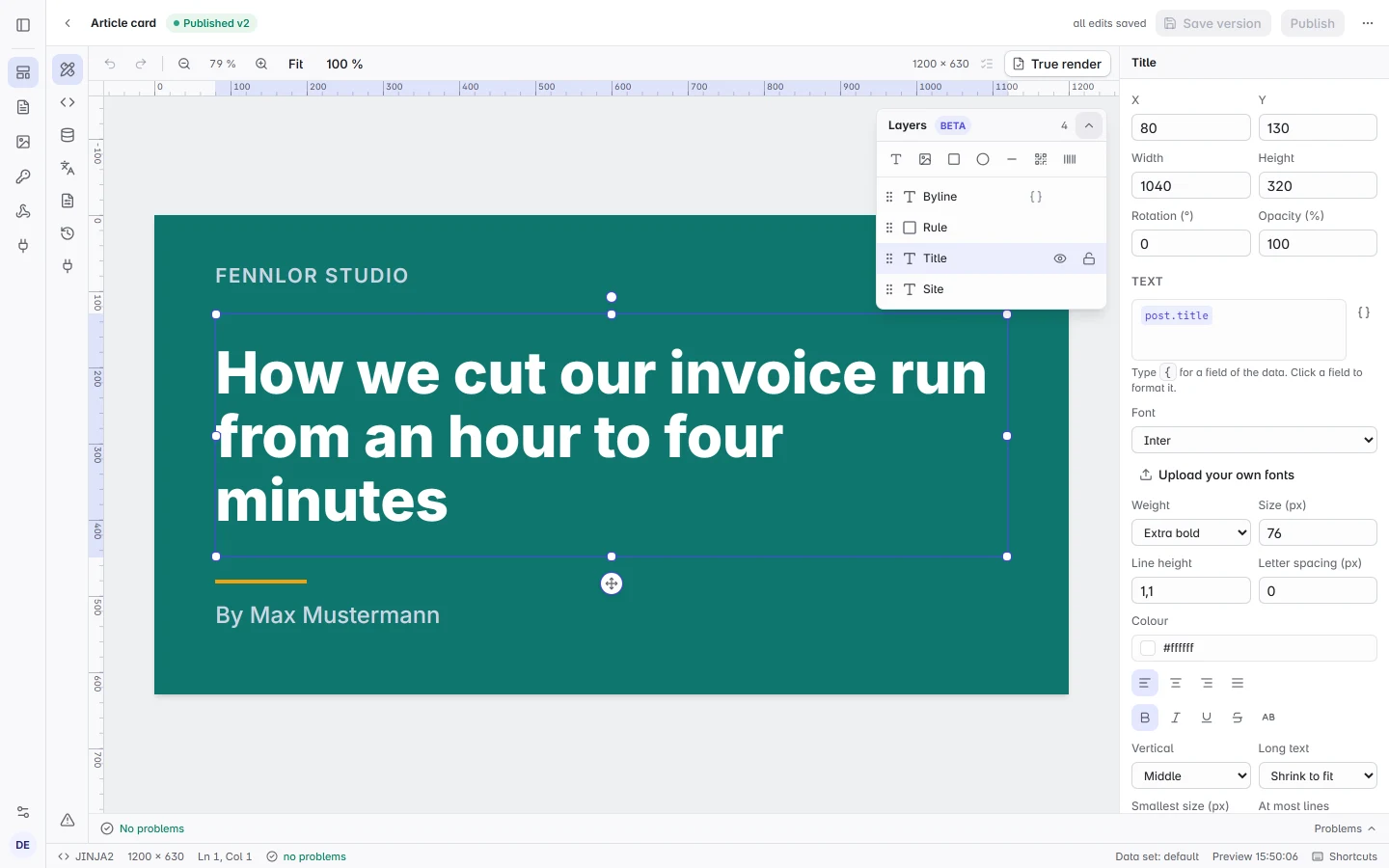
The one hard problem on such an image is a title of unknown length. A box on a canvas sits at a fixed place on an image of a fixed size, so the text has to fit. A text layer can shrink to fit: the title gets the largest size at which it fits, between its own size and a minimum you set, and one click renders every data set and names each text that would still be cut off.
Where it is not
A document is the opposite case. The invoice with three lines and the one with forty. The customer whose name is sixty characters long. The second page, and the third. The German version, a third longer than the English one. The legal line the tax adviser asks for in March.
A box placed at coordinates does not move when the box above it grows. A canvas that wants to hold documents has to bolt flow back on — anchors that push a box down, tables as a special kind of layer, rules for what happens at the foot of a page — and every one of those is a special case of what HTML and CSS already do: text wraps, tables grow, the next element starts where the last one ended, and a page break falls where the content says it may. We would be building a worse browser in order to hide the good one.
So PDF templates stay HTML and CSS, with Jinja2, Liquid or Handlebars on top, in an editor that knows the data they will be filled with. It completes field names from your sample data, flags a name the data does not contain before anything is rendered, and puts the cursor on the tag behind whatever you click in the preview. The paged preview breaks pages where the PDF does, and the Blocks panel starts you with a letterhead, an invoice table or a SEPA payment code instead of a blank page.
The canvas writes a template
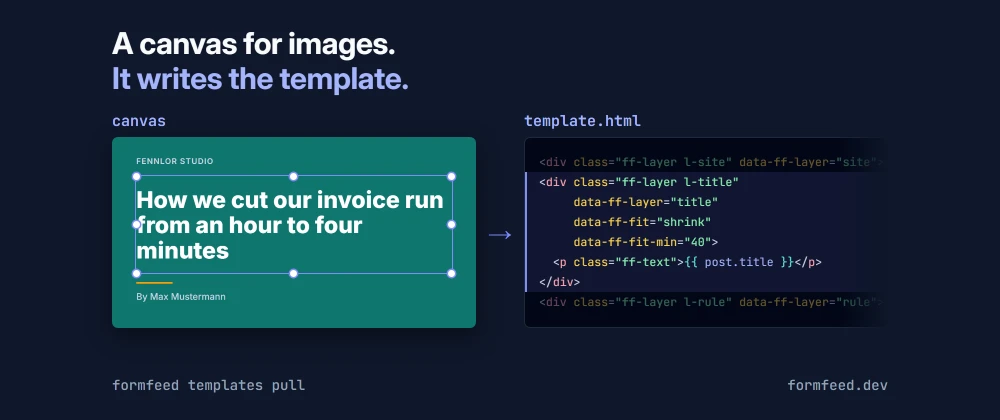
The canvas is not a second product with a file format of its own. As you move a layer, it writes the
template’s HTML and CSS in the template’s own language: a text layer becomes an element with
{{ post.title }} in it, a layer shown only when a field has a value becomes an if block, and
that is what renders. Nothing downstream can tell the difference. The API call is the same, the SDKs
and the no-code apps see an ordinary template, release channels and schema checks work as they do
for any other, and formfeed templates pull writes the design as design.json next to
template.html.
It also means the canvas does not approximate. What you see is the template itself, laid out by the browser in a sandboxed frame, with the selection drawn above it; the PNG comes from Chromium laying out the same HTML. In Chrome and Edge a title that wraps on the canvas wraps in the render; in any browser, True render shows the exact result.
And it means there is a way out. Detach the design and the code is yours to edit by hand; older versions keep their design. What there is not is a way back: arbitrary HTML has no layers, so we do not pretend to import it into the canvas.
For the people who never open the code
The canvas is one answer to “can someone who does not write HTML change this?”. Two others work for documents. Switch on Edit text in the preview, click a heading or a paragraph and type: values from the data stay as they are, a translated label changes in the dictionary of the language you are looking at, and the change lands in the template as one edit that Ctrl+Z undoes. That works on every template written as code, PDFs included; on the canvas you type into the layer itself.
And if the people who own your documents live in Word, a Word or PowerPoint file with the same tags typed into it is a template in Formfeed too (Word and PowerPoint templates, live renders from the Starter plan). The layout stays in the program it was made in; the data comes from your API.
Who should use something else
If you need video or animation, use a tool made for it; the canvas makes still images. If the people who build your PDFs want to lay out every page with the mouse, and nobody will ever open the code behind them, a visual PDF designer will get them there faster.
And if your documents are invoices, reports, delivery notes and contracts — data of any length, legal text that changes, a layout that has to hold for years — the code editor is the tool we would choose, and did. The images that go with them can now be made where images belong: on a canvas.